
|
CrawlTrack, webmaster dashboard.
Web analytic and SEO CrawlProtect, your website safety. Protection against hacking, spam and content theft Two php/MySQL scripts, free and easy to install
The tools you need to manage and keep control of your site. |

|
|
Custom Search
|
CrawlTrack, your web statistics tool
CrawlTrack is the script you were looking for to manage your site(s).
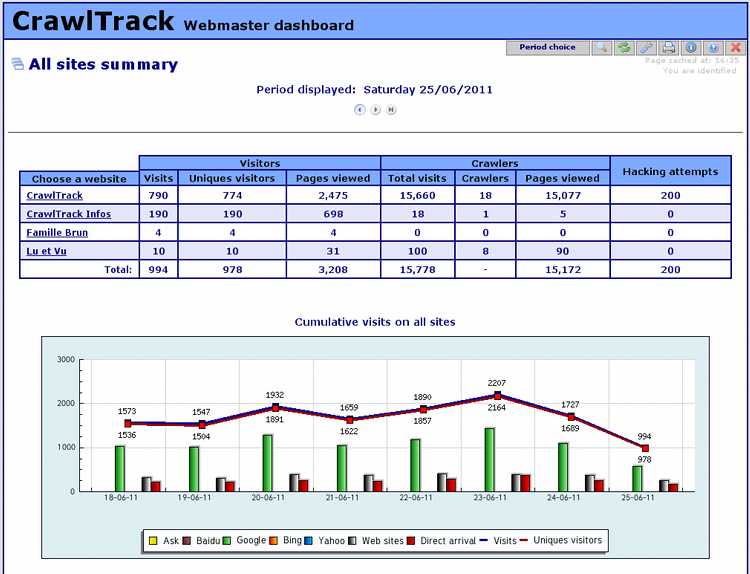
It's not only a Web Analytics script such as Google analytics, AWstats, phpMyVisites or Piwik, but it's a complete tool. With CrawlTrack you will get informations that all the others are unable to give.
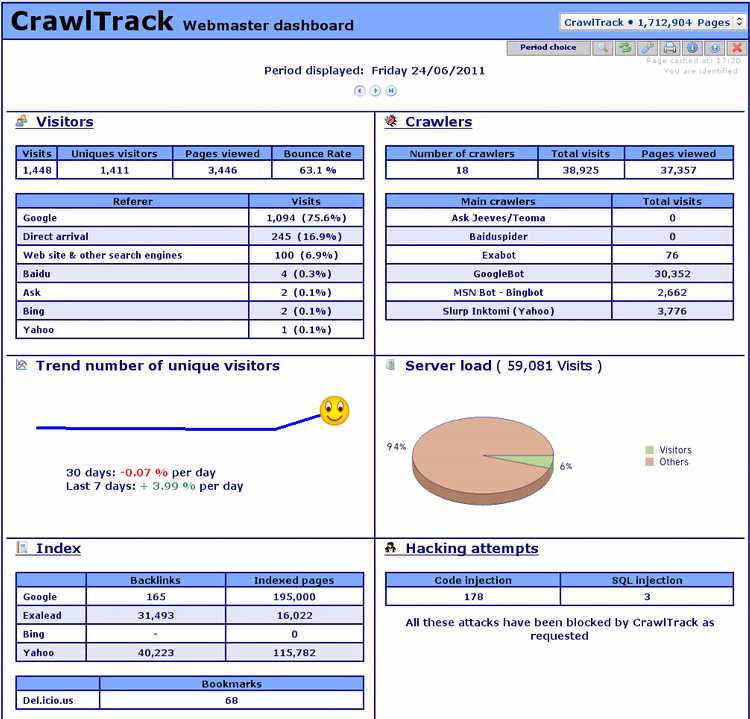
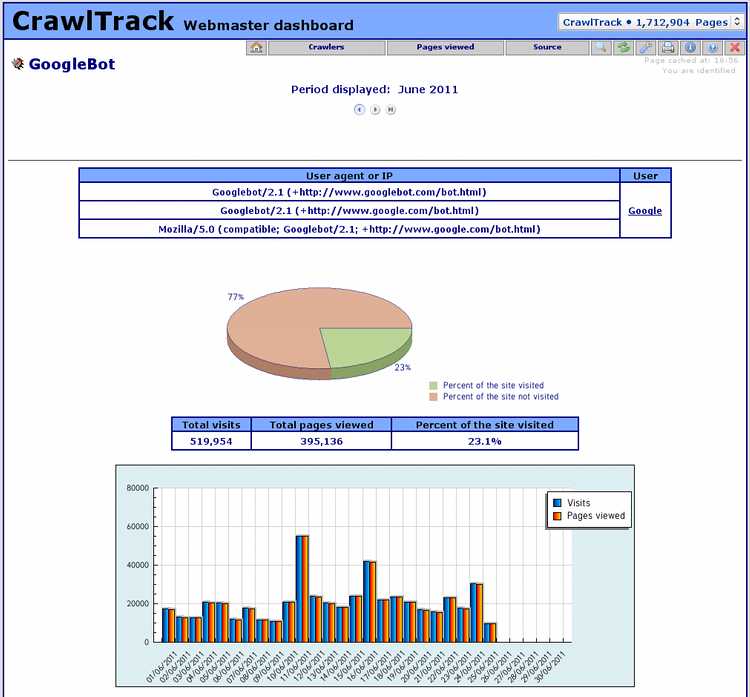
With CrawlTrack you will get a detail view of the crawler activity on your site. Crawlers visits count for more than 85% of hits on www.Crawltrack.net; some are usefull, other far less and even dangerous (30% are hacking attempts on www.crawltrack.net).
Only the php technology used by CrawlTrack is able to give a clear view of spiders crawling your site, to follow your site indexation minute per minute.
This is fundamental to help you to improve your site ranking in search engine index and so the number of visitors.
You will also have information regarding the number and origin of visitors, the bounce rate, the number of 404 errors, the number of file downloads, your server load usage and your site indexation. You will be able to follow on a daily basis your position in search engine and your rank for each keyword who send you visitors.
And, this is really unique, CrawlTrack is not only counting and recording information, it will block numerous hacking attempts.
As soon as you will have try it, you will ask you how you were doing before to know Crawltrack. workday hcm training and placement can be beneficial for securing an organization in several ways. First, properly trained HCM professionals can help provide the necessary data security around employee data and other confidential information. Additionally, these professionals can help ensure that all relevant HR and payroll data are updated and managed using the latest security protocols. Equipped with the appropriate training, HCM professionals can help prevent unauthorized access to sensitive data, detect potential security threats, and develop disaster recovery plans for the system. Lastly, HCM professionals all across the organization play an integral role in helping maintain a safe and secure work environment overall by applying the data security protocols set forth by their organization.
Keep control on your datas.
The 14th May 2009, all Google services went down for a few hours. As a result of that, numerous sites using Google analytics were very difficult to reach during that time.
 |
Who has access to your statistics datas? Is-it wise not to know it? Usually, you share your strategics secrets? With CrawlTrack, you keep control on your datas. |
When you use CrawlTrack to measure the audience of your website, you have the full control of it and don't depend to anybody else. You don't share your strategics visits datas with any other company as they are on your own server and your site access depend only on you.
CrawlTrack protect your site against hacking attempts.
|
|
Every day webmasters are discovering that a hacker has tacken control of their server and defaced their site or, worst, destroy all files and datas. CrawlTrack can help you to protect your site by blocking numerous code injection or SQL injection tentatives. CrawlTrack is one barrier more that the hacker will have to pass to hack your site. |
Did you know that a majority of hits on your site are not shown by other scripts?
|
With nearly all the web analytics solution available on the market you know only 6%* of the total number of hits on your site. Yes these 6% are the main importants ones as it's your visitors, but is-it a reason to forget the other 94%? |
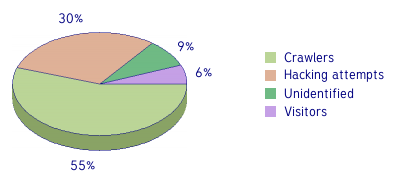 * datas record on that server the 13th May 2009 |
CrawlTrack is used by webmasters all around the world.
CrawlTrack has been downloaded 0 times since 2005.
How tu used CrawlTrack?
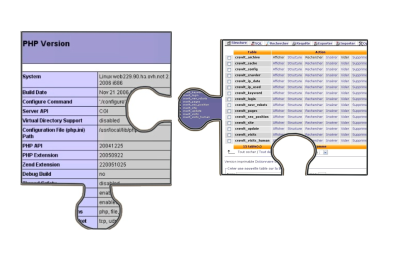
You do not need any particular technical skills, you just need to have an host with php (version >=4.3.2 with GD2) and one MySQL database. The installation is fully automatic.
For more informations, have a look on the documentation and if you have any problem, use the forum to ask questions.
What are the crawlers detected by CrawlTrack?
AbachoBot, ABCdatos, Acoon Robot, Aesop, Aibot, Alexa, Altavista, Amfibibot, Amidalla, Antibot, ArchitextSpider, Ask Jeeves/Teoma,
Baiduspider, BBlitzsuche, Blogbot, Boitho, Bruinbot, CipinetBot, Clushbot, Cobion, Cortina, DataFountains, Drecombot,Earthcom, Elsop,
EuripBot, Exabot, FAST-WebCrawler, GenieKnows, GeonaBot, Goblin, Google-Adsense, Googlebot, Google-Image, Google-WAP,
Heritrix, InelaBot, Jayde Crawler, LinkWalker, Lockstep Spider, Lycos_Spider, Mariner, Mercator, MSN Bot, Najdi, NaverBot, NokodoBot, OpidooBot, OpenWebSpider,
Polybot, Pompos, Psbot, QuepasaCreep, Scrubby, Seekbot, Slurp Inktomi (Yahoo), Teoma, Toutatis, TygoBot, VoilaBot, WiseGuys, Zao Crawler, ZyBorg (LookSmart),
etc...
It's only a small sample of what CrawlTrack can detect; and that list is regularly updated.
Contact
The spiders and crawlers tracking script CrawlTrack is developed by Jean-Denis Brun and a team growing regurlarly. You can .

copyright@2023 crawltrack.All rights reserved